One shared
welfare model
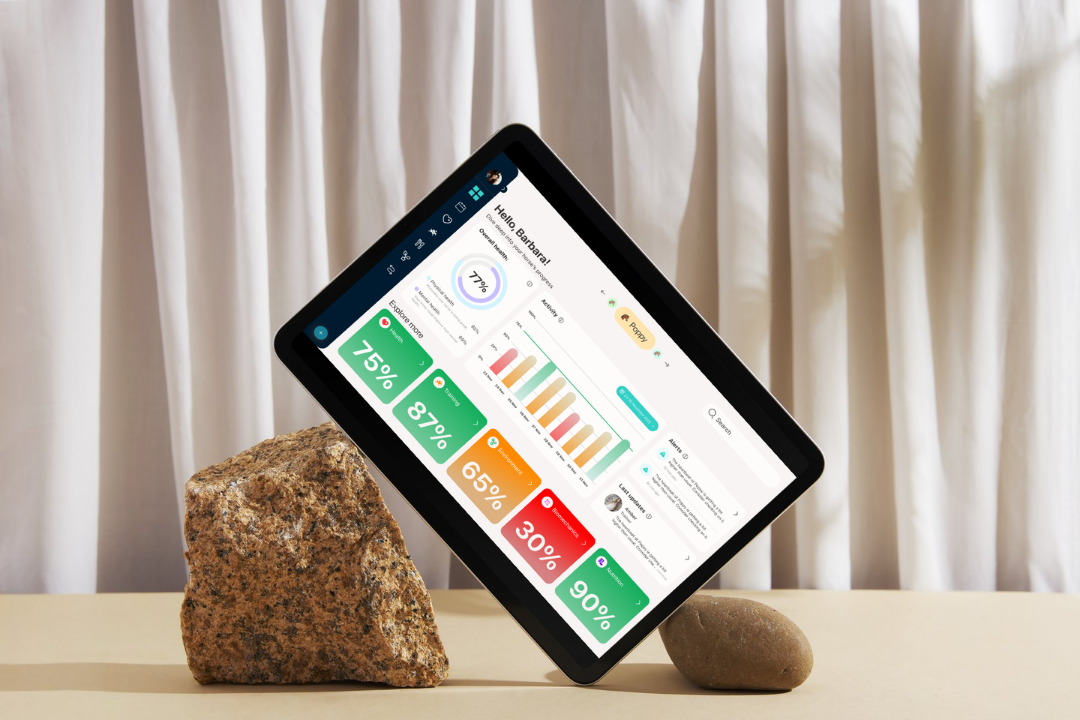
Stakeholder feedback validated organising the dashboard around five connected welfare areas.

Equine professionals often rely on Excel sheets, WhatsApp conversations, fitness applications and veterinary notes to understand a horse's condition.
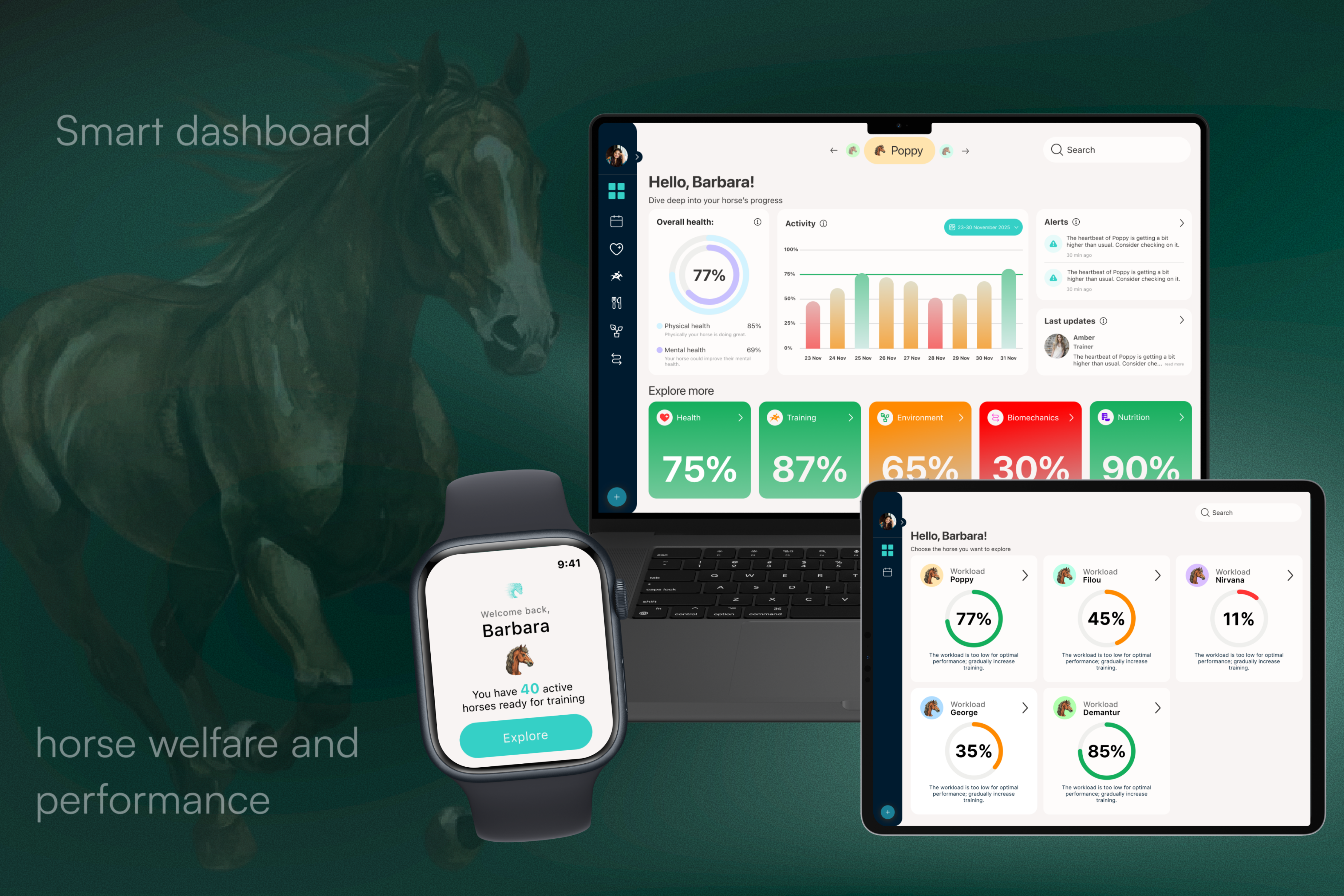
We designed a central dashboard that combines this information into one welfare overview. I extended the concept with a smartwatch interface that brings live feedback to the rider during training and sends the session data back to the dashboard.
01 - WHAT THE PROJECT ESTABLISHED
Stakeholder feedback validated organising the dashboard around five connected welfare areas.
The dashboard supports analysis after and between sessions, while the smartwatch focuses on immediate feedback during training.
Usability feedback led to clearer terminology, improved tooltips and a stronger visual hierarchy.
02 - CHALLENGE
Riders, trainers and veterinarians create information throughout a horse's daily routine, but that information can live across different tools and conversations.
Without one shared picture, changes in training, recovery or welfare can be harder to connect and communicate.
03 - APPROACH
“The smartwatch captures what happens during training.
The dashboard turns it into understanding afterward.”
Stakeholder interviews • Desk research • Affinity mapping • Journey mapping • Prototyping • Usability testing
04 - OUTCOME
Training, health and behavioural information becomes more useful when users can see how it relates instead of opening separate tools.
Riders, trainers and veterinarians use the data differently, but collaboration improves when everyone works from the same welfare picture.
During training, the rider's attention belongs on the horse. A wearable should communicate only what is immediately useful or actionable.
05 - THE SOLUTION
ONE WELFARE PICTURE
Instead of presenting every available metric at once, the dashboard groups information around five welfare areas.
AT A GLANCE
Status colours help users recognise whether the horse is stable, needs attention or may require follow-up before they open the underlying data.
DATA WITH CONTEXT
Health and activity data become more useful when they sit beside observations, alerts and recent changes from the people working with the horse.
IMPORTANT UPDATES
The calendar brings training sessions, veterinary appointments, feeding tasks and care activities into one shared schedule.
Filters let each professional focus on the activities relevant to their role without losing the shared team context.
06 - EXTENDING THE ECOSYSTEM
That raised a second question:
what happens while the horse is actually training?
Live training signals
Immediate rider feedback
Session synchronisation
Analyse and history
SMARTWATCH CONCEPT
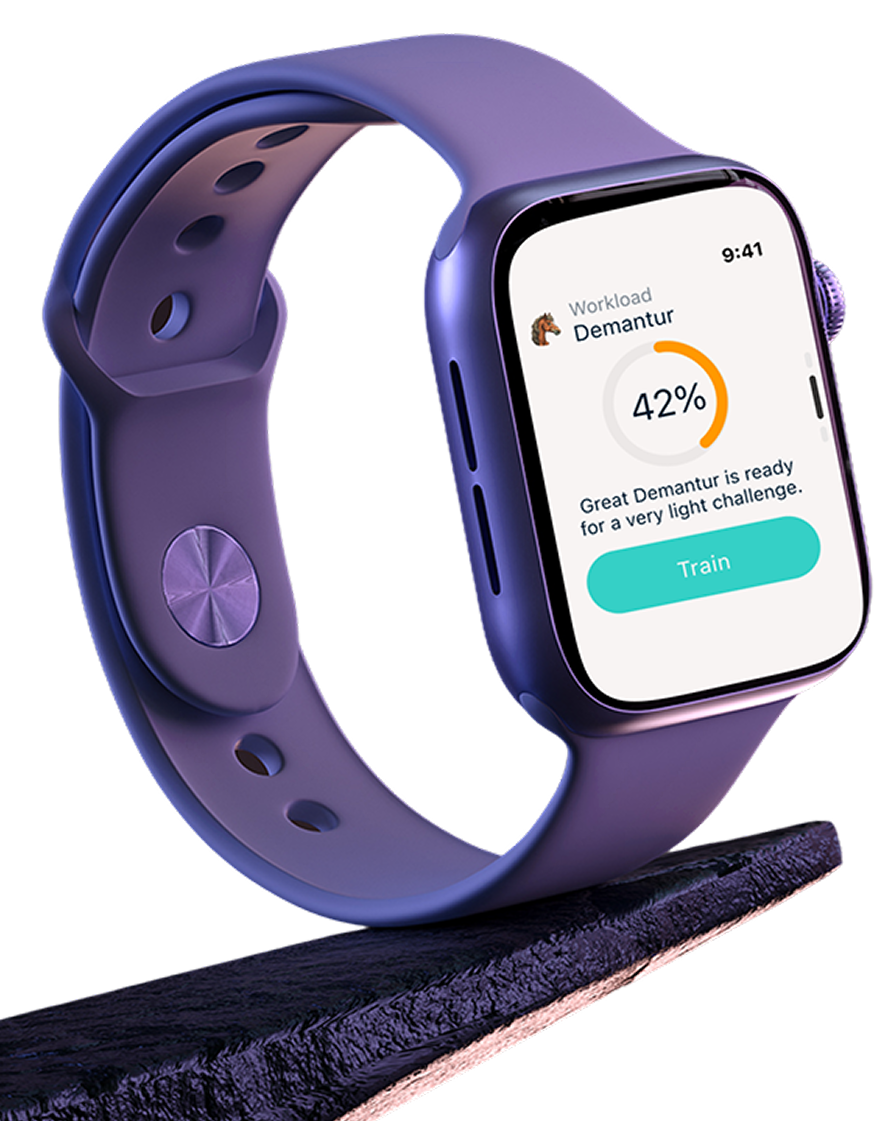
The watch reduces the dashboard down to immediate decisions: am I ready to start, is something changing, and how did the session go?
Before starting, the rider can check workload, confirm that data is being captured and review the planned session without opening a phone.
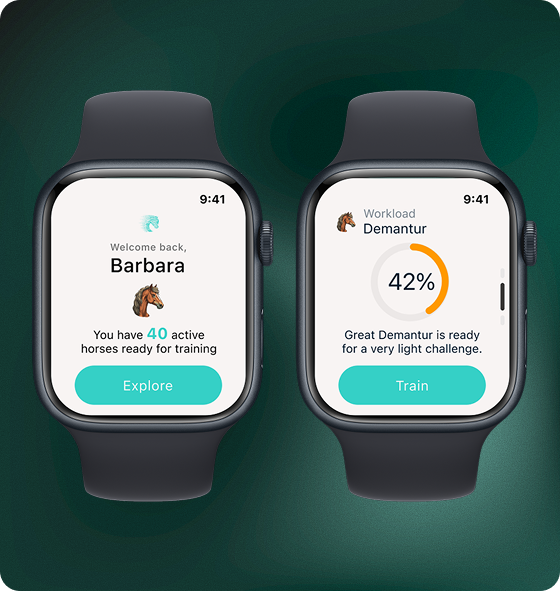
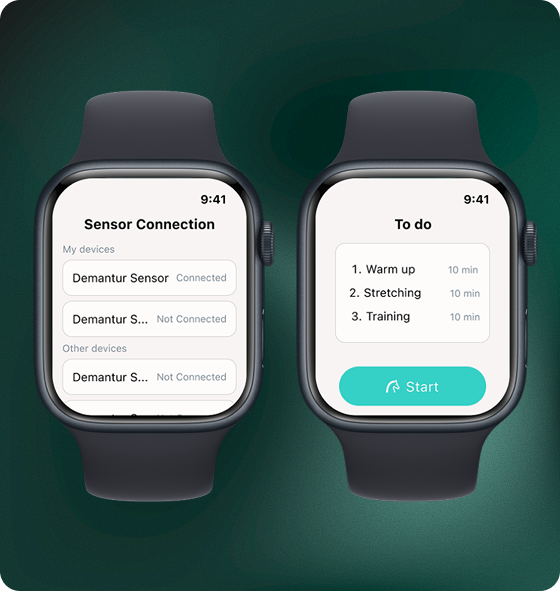
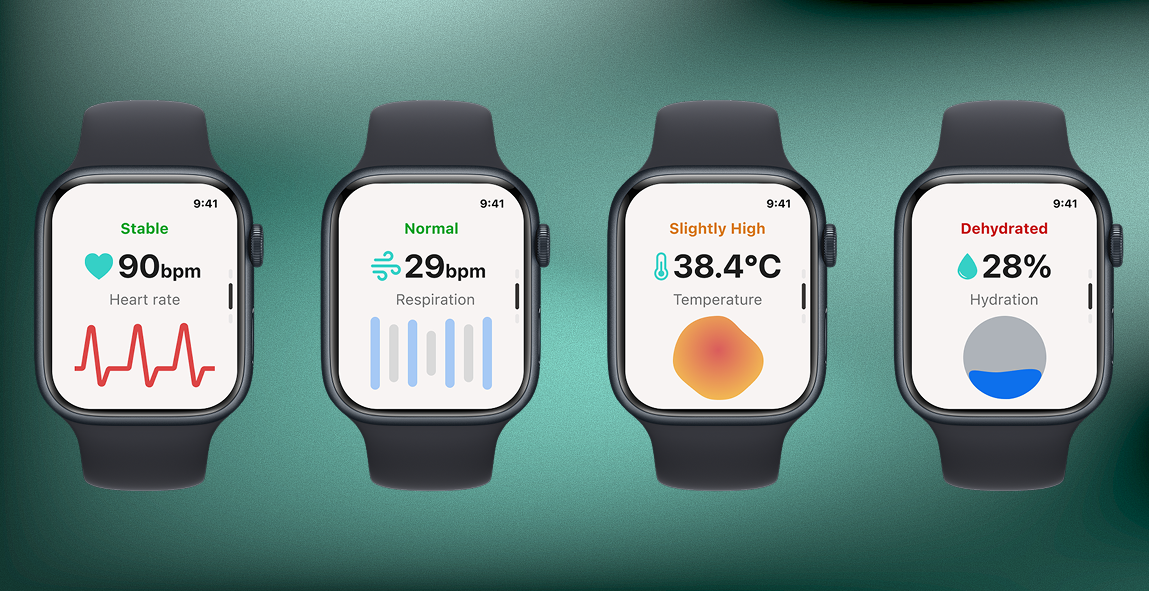
Live health feedback highlights signals such as heart rate, respiration, temperature and hydration.
Alerts draw attention only when something may require the rider to react.
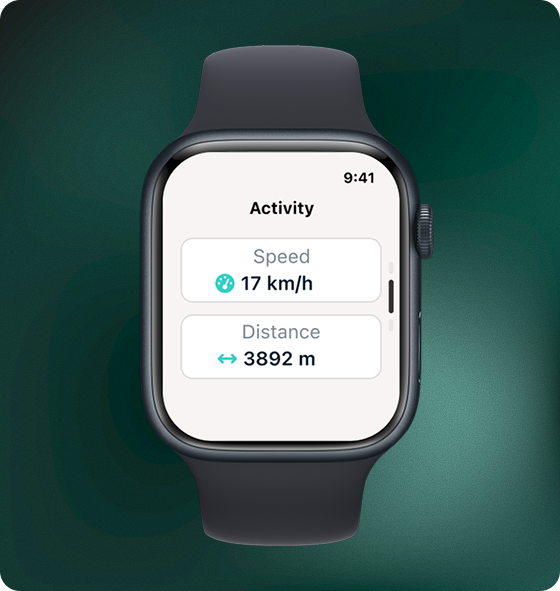
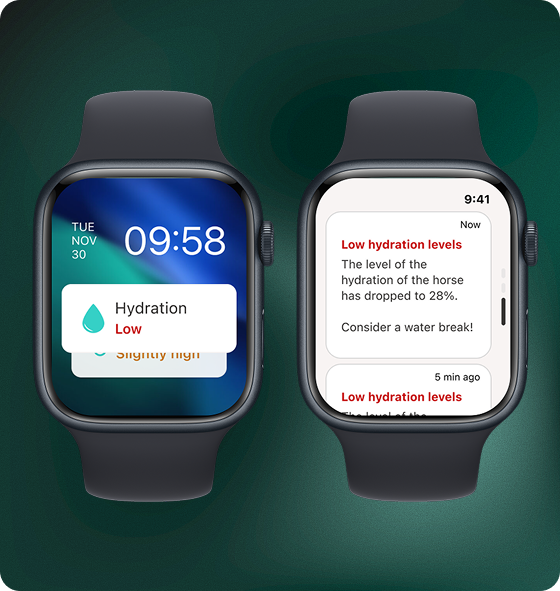
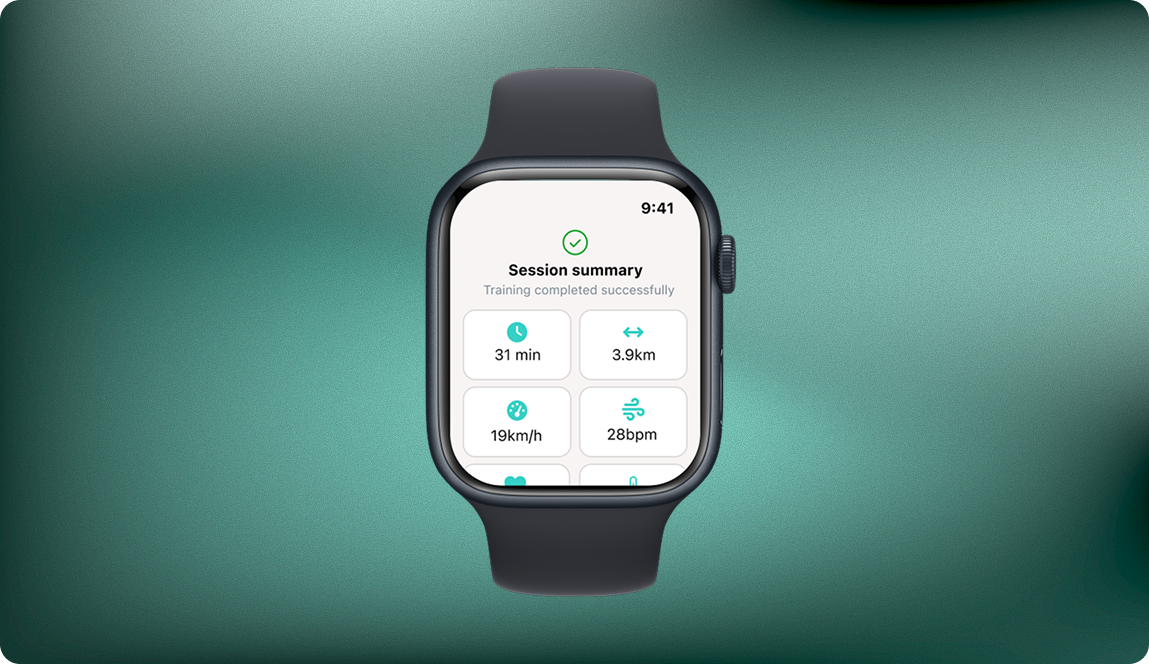
The session summary gives the rider an immediate overview of duration, distance, speed and welfare feedback.
The captured session can then become part of the horse's longer-term dashboard history for trainers, veterinarians and other professionals to review.
07 - REFLECTION
The main design challenge was deciding what level of information belongs at each moment. The dashboard can support analysis and collaboration. The smartwatch needs to disappear into the training experience and interrupt the rider only when something matters.