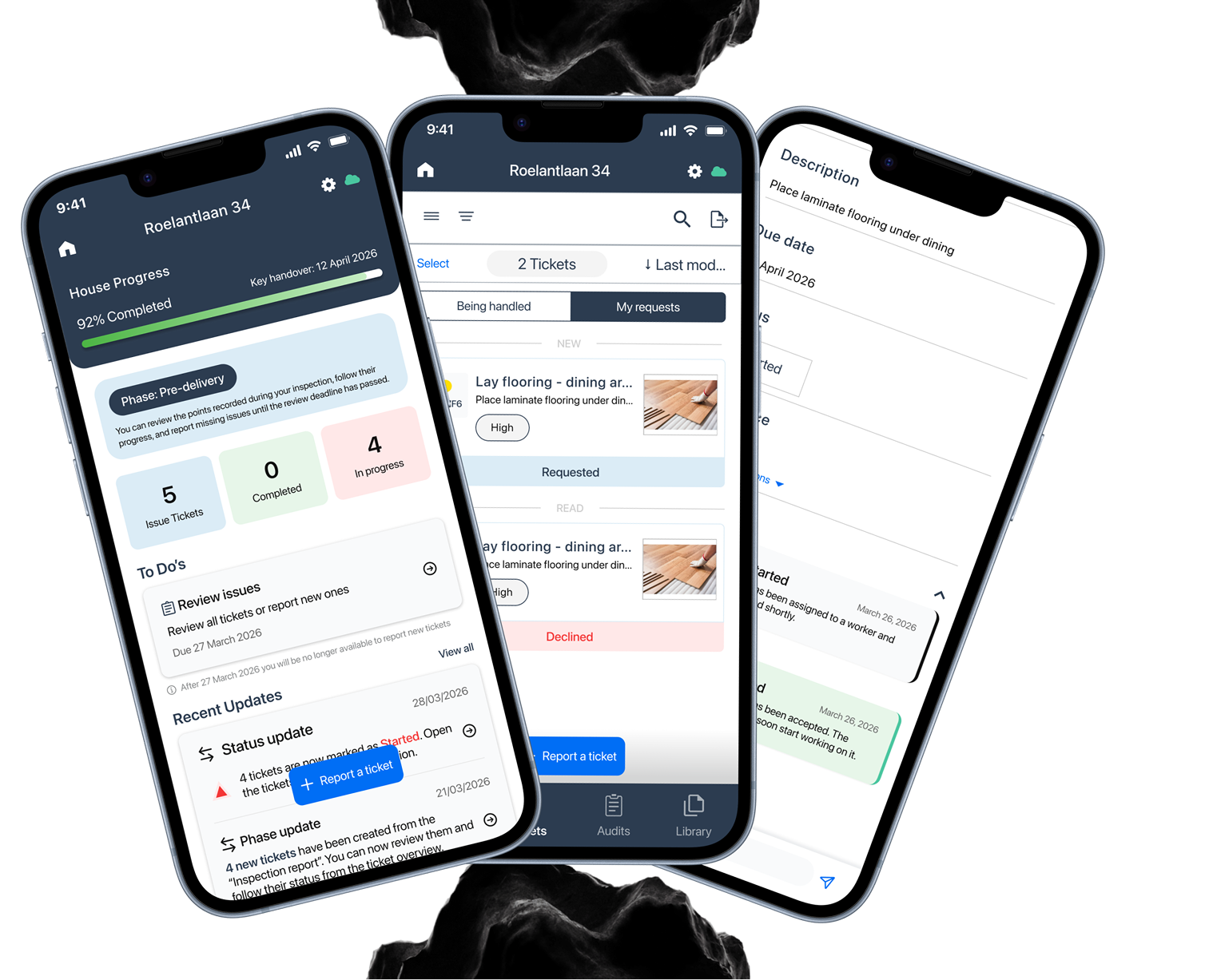
Communication is phase-dependent.
What matters before delivery is different from what matters after it.

Ed Controls is a quality-management platform used by construction teams to manage inspections, tickets, and follow-up work. It works well for professionals, but the same environment is too technical for homebuyers.
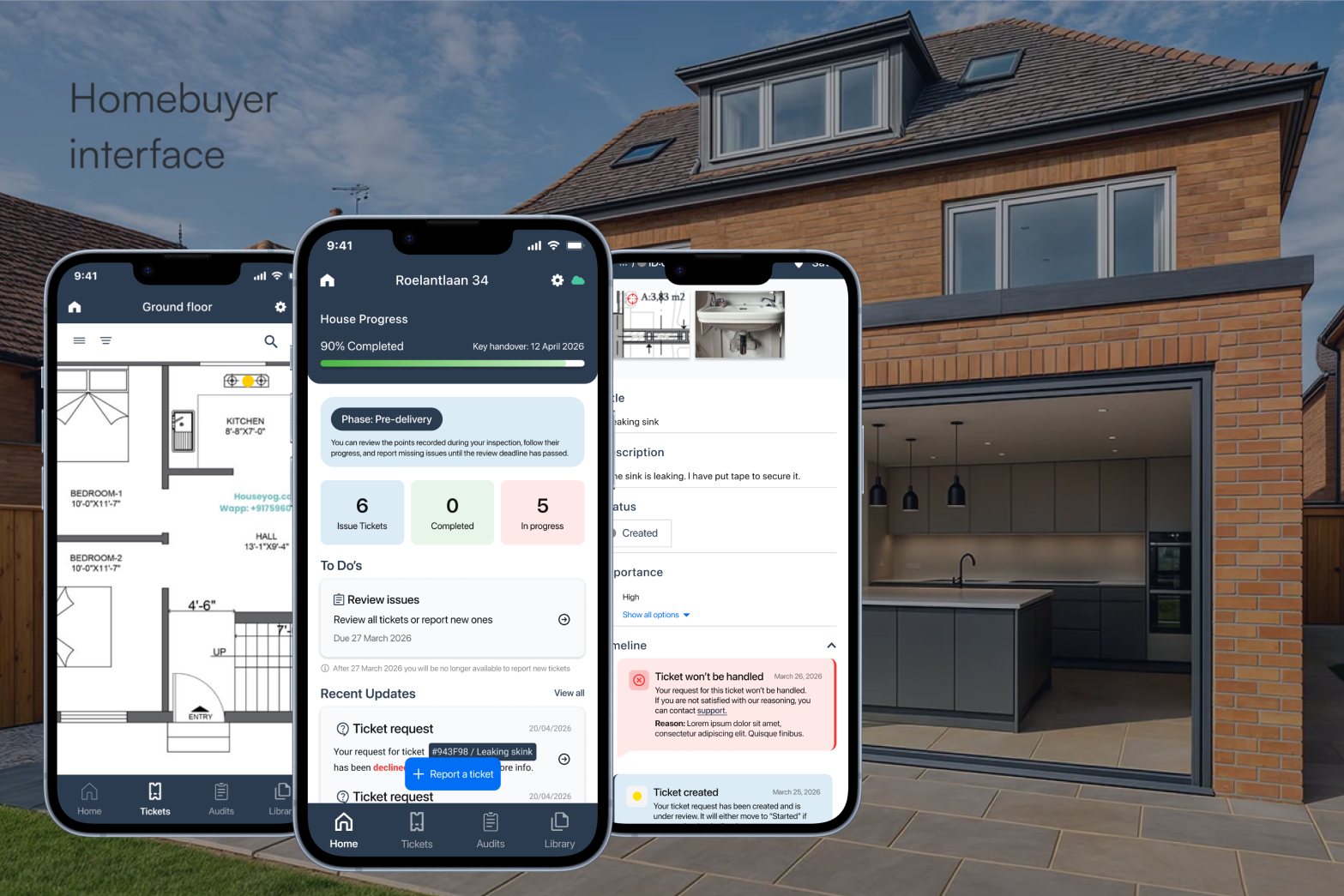
I designed a simplified communication layer for homebuyers, using existing Ed Controls data while keeping the construction team in control of the internal workflow.
01 - CHALLENGE
Homebuyers need to know where their home stands, what is expected from them, and what happens after they report an issue.
Construction teams still need to decide what information becomes visible and which requests become official tickets.
02 - APPROACH
“What homebuyers need changes throughout the construction journey, so the interface should change with it.”
Stakeholder interviews • Homebuyers interviews • Benchmark research • Journey mapping • Desk research • Prototyping • Usability testing
03 - OUTCOME
What matters before delivery is different from what matters after it.
Technical audits, assignees and internal details bury what homeowners actually need to understand.
Buyers need acknowledgement and feedback, while the construction team keeps control over official tickets.
04 - THE SOLUTION
PHASE-BASED ACCESS
Pre-delivery supports reviewing and reporting. Delivery shifts to following remaining work. Aftercare opens reporting again for a limited period.
CLARITY OVER DATA
The home screen focuses on progress, open issues, important dates and documents. Ticket details keep the issue, location, photo and status while removing internal assignees and technical fields.
IMPORTANT UPDATES
Recent updates keep buyers informed while a dedicated To Do area surfaces actions and deadlines that require attention.
REPORTING AN ISSUE
Homebuyers mark the issue on a drawing, add photos and details, then submit it for review.
REPORTING AN ISSUE
The construction team reviews the request. Once accepted, it becomes part of the official workflow and moves to Being handled.
TRANSPARENT FEEDBACK
A simple timeline explains when a request is created, accepted, started, declined or completed — without exposing the construction team's internal workflow.
PREDICTABILITY
For homes with multiple owners, I explored a shared group where everyone sees the same project updates while still showing who reported each issue.
05 - REFLECTION
Designing for homebuyers meant translating a professional workflow into something understandable without removing the control construction teams need.