Personal and team rewards became one understandable system.
A shared rewards overview keeps the points balance visible while Personal and Team views separate two different ways of using the same points.

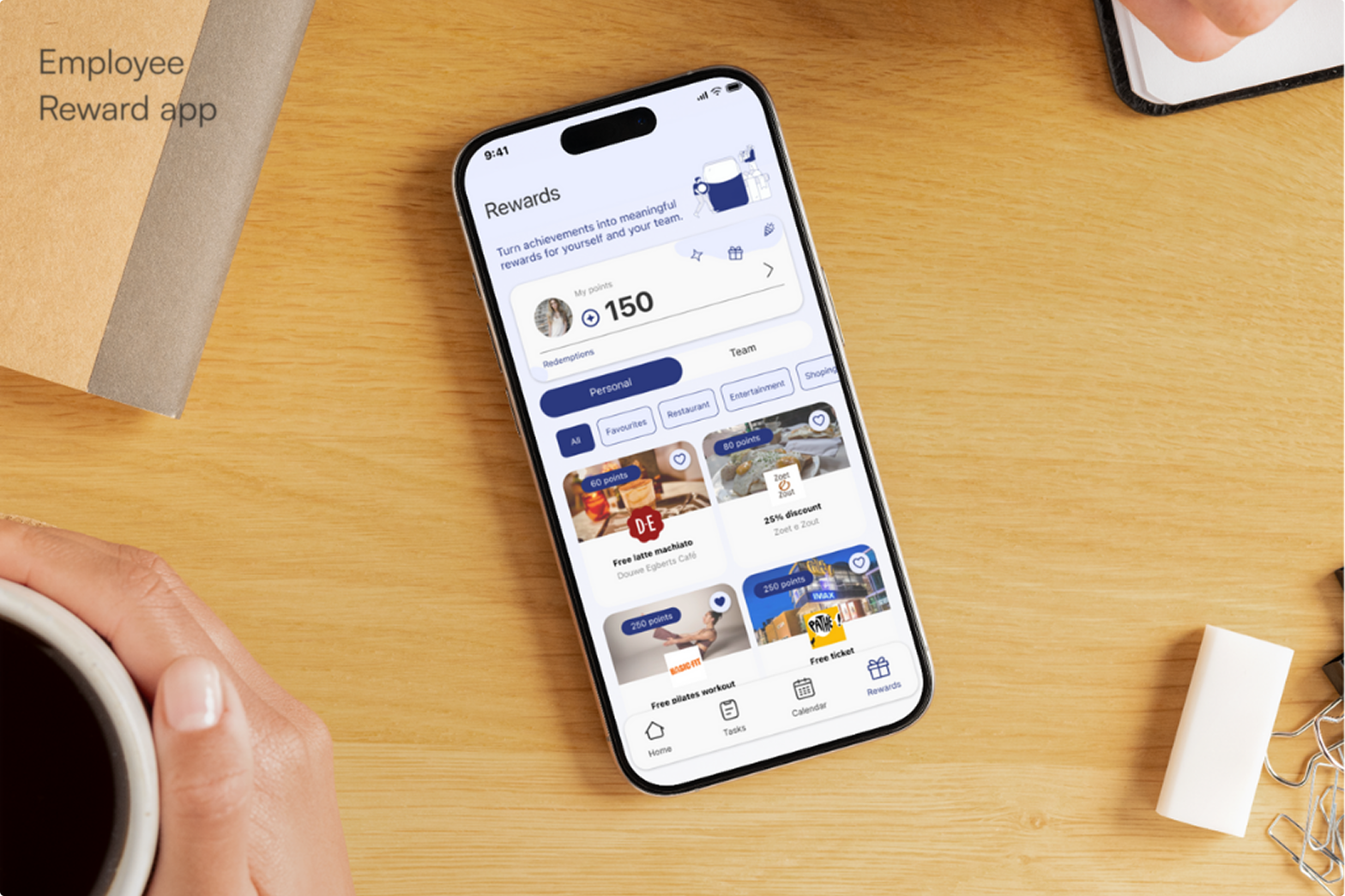
The project focuses on an Employee Rewards & Recognition feature designed for an existing team collaboration app. Employees earn points through workplace achievements and can decide whether to use them for personal rewards or contribute them towards shared team rewards.
The feature needed to support the complete reward journey, from understanding a points balance and discovering rewards to contributing, redeeming and accessing vouchers after redemption.
01 - CHALLENGE
The same points can lead to two very different outcomes. A user may spend them on an individual reward or contribute them towards a shared team goal, so the interface has to make ownership, cost and progress clear before any action is taken.
Redemption also continues beyond the app. Rewards may be used through a QR code or online voucher, which means confirmation, success states, validity and redeemed rewards all have to behave consistently.

02 - APPROACH
“At every step, the user should know what they have, what an action costs and what happens next.”
User stories • Flow mapping • Interaction states • UI design • Prototyping
03 - OUTCOME
A shared rewards overview keeps the points balance visible while Personal and Team views separate two different ways of using the same points.
Confirmation states show exactly what will happen before points are redeemed or contributed, helping prevent accidental actions and making the consequence immediately understandable.
Success screens, vouchers and My Redemptions give completed actions a clear destination instead of making redeemed rewards disappear from the experience.
04 - THE SOLUTION
VISUAL SYSTEM
SF Pro, a restrained blue palette and a light interface keep the feature aligned with a professional workplace product. Reward imagery provides the visual energy while the surrounding system stays predictable.

REWARDS OVERVIEW
The main Rewards screen keeps earned points visible at the top and separates Personal and Team rewards through familiar tabs. Categories, favourites and point costs make a larger catalogue easier to scan.
PERSONAL REWARDS
Personal rewards show the offer, point cost, redemption details and terms before the user commits. A confirmation step prevents accidental redemptions, while the success state gives immediate access to the voucher through both QR and online codes.
TEAM REWARDS
Team rewards show the goal, required points and current progress before users contribute. Each person chooses how many points to add, confirms the contribution, and sees the shared progress update until the reward is unlocked for the team.
MY REDEMPTIONS
My Redemptions separates active and archived vouchers so past actions stay organised. Empty, expired and already-used states explain what is happening rather than leaving the user with an unexplained blank screen.
05 - REFLECTION
This project made me think less about individual screens and more about the rules connecting them. A reward system only feels trustworthy when balances, confirmations, progress, success states and redeemed items all tell the same story. Defining those relationships first made the interface itself much easier to design.
